
If you’ve ever glanced at your iPhone and wondered why it proudly proclaims “Optimized Battery Charging,” you’re not alone. It sounds fancy, but what does it really mean? Imagine your phone as a caffeine-fueled college student, cramming for finals—it’s all about timing and strategy. This feature isn’t just a techy buzzword; it’s your device’s way of saying, “I’ve got your back, buddy!”
In a world where battery anxiety is real, this feature swoops in like a superhero. It learns your charging habits and adjusts accordingly, ensuring your battery stays healthy and lasts longer. So, the next time your iPhone gives you that cheeky message, remember it’s not just showing off; it’s working hard to keep your device in tip-top shape! Let’s dive deeper into how this clever little feature works and why it matters.
Understanding Optimized Battery Charging
Optimized Battery Charging enhances iPhone battery management by adapting to user habits. This feature aims to improve battery health and longevity through smart charging practices.
What Is Optimized Battery Charging?
Optimized Battery Charging is a built-in feature that prevents overcharging. It manages charging by learning when a user typically charges their device. This approach reduces battery wear and extends overall lifespan. The system activates when connected to a charger for an extended period.
How Does It Work?
This feature uses machine learning to analyze charging patterns. If a user regularly connects their iPhone to a charger overnight, the device charges up to 80%. Afterwards, it pauses charging until just before the user typically wakes up. By managing charging in this way, iPhones maintain optimal battery health and reduce unnecessary wear.
Benefits of Optimized Battery Charging
Optimized Battery Charging offers several advantages for iPhone users. This feature plays a crucial role in extending battery health and performance over time.
Enhancing Battery Lifespan
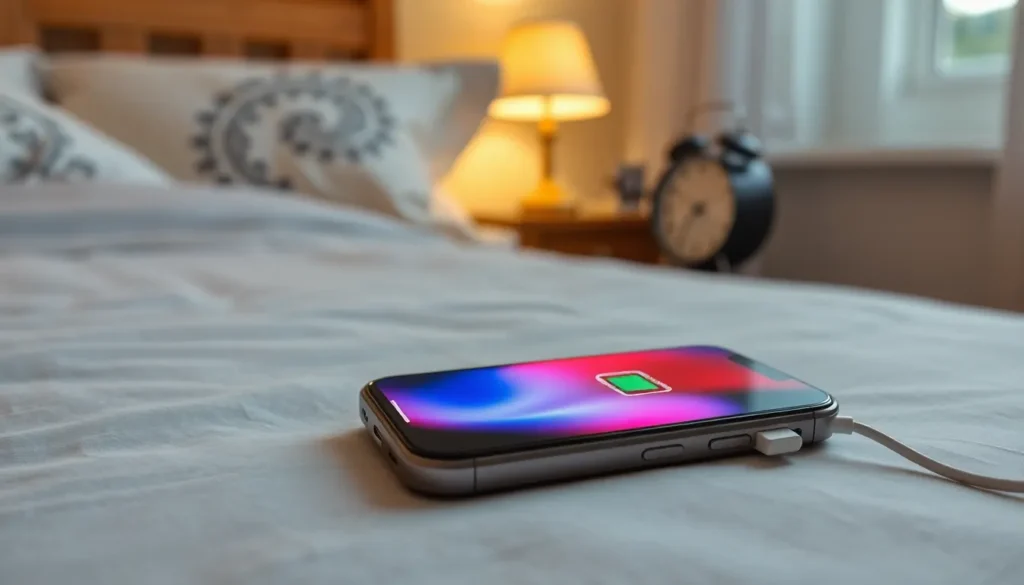
Enhancing battery lifespan is a primary benefit of this feature. It limits the time the battery spends at full charge, which reduces wear and tear. The system monitors user charging patterns, ensuring the device charges only when necessary. For example, if a user consistently charges overnight, the iPhone charges to 80% and pauses to wait for the user to wake up. This approach helps prevent the battery from aging prematurely, ultimately maximizing its longevity. With less unnecessary charging, the overall health of the battery improves, resulting in longer use between replacements.
Reducing Charging Time
Reducing charging time also contributes to the appeal of Optimized Battery Charging. By adjusting the charging process based on user habits, this feature streamlines energy delivery. Since the iPhone learns when users typically need their devices fully charged, it optimizes the final percentage charged before use. For instance, if charging occurs overnight, the device manages the last 20% efficiently during peak sleep hours. Users experience minimal interruptions, receiving quick overnight charges while benefiting from longer battery life. Overall, this feature not only saves time but also enhances the overall user experience.
Common Issues with Optimized Battery Charging
Optimized Battery Charging sometimes encounters issues that can affect its performance. Understanding these challenges helps users address them effectively.
When It Fails to Activate
Optimized Battery Charging won’t activate if the user’s charging habits are irregular. It relies on consistent patterns, so sporadic charging disrupts its ability to learn. In some cases, the feature might be disabled in settings, preventing activation. Users should check the Battery settings to confirm whether the option is turned on. Additionally, software glitches may arise during updates, causing the feature not to function correctly. Restarting the device often resolves such temporary issues, allowing Optimized Battery Charging to resume normal operation.
Possible System Conflicts
Certain apps or background processes can interfere with Optimized Battery Charging. High power-consuming apps might override the feature’s ability to manage charging effectively. Conflicts with older versions of iOS also occur, causing erratic behavior. Keeping the device software updated ensures compatibility and optimal functionality. Incompatibility with accessories, like third-party chargers, can further lead to issues. Using Apple-certified or recommended accessories minimizes the risk of system conflicts, allowing the battery management feature to work as intended.
How to Manage Battery Settings on Your iPhone
Managing battery settings on an iPhone includes adjusting preferences to enhance overall battery performance. Users can access these settings to customize how their device charges and to maximize battery health.
Adjusting Charging Preferences
Users can easily adjust charging preferences through the Settings app. Navigating to Settings, they should select Battery, then Battery Health. From there, the Optimized Battery Charging option can be enabled or disabled. Activating this feature allows the iPhone to learn charging habits, which ultimately extends battery longevity. Disabling it may result in quicker charging, but it can cause faster battery wear. Regular monitoring of charging preferences helps sustain optimal battery performance over time.
Tips for Maximizing Battery Performance
To maximize battery performance, various strategies can be implemented. Reducing screen brightness significantly lowers energy consumption. Enabling Low Power Mode also temporarily pauses background activities, extending battery life when needed. Updating to the latest iOS version ensures the device benefits from optimal battery management features. Furthermore, minimizing background app refresh limits power use, as does disabling location services for non-essential applications. Regularly checking battery health settings empowers users to maintain their battery’s performance effectively.
Optimized Battery Charging is a valuable feature for iPhone users looking to enhance battery health and longevity. By learning charging habits and adapting accordingly, it effectively reduces wear and tear on the battery. This not only extends the battery’s lifespan but also streamlines the charging process for a more efficient user experience.
For those experiencing issues with the feature, simple adjustments in settings or ensuring the latest software updates can help restore optimal functionality. Embracing this feature allows users to enjoy their devices without the constant worry of battery performance. With the right management practices, users can maximize their iPhone’s battery potential, ensuring it remains reliable for years to come.